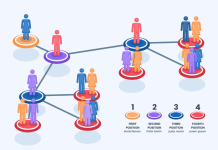

In many organisations, performance problems are not caused by a lack of effort. They happen because work moves through a multi-stage process where one step cannot keep up with the others. Orders pile up, customer queries wait longer, approvals get delayed, and teams feel “busy” without improving outcomes. Bottleneck analysis is a practical method to locate the constraining step and quantify its impact. When done using flow diagrams, it becomes easier to see how work actually moves, where it stops, and which changes will deliver the biggest improvement.
For learners building operational analytics skills through a data analytics course, bottleneck analysis is an essential topic because it connects process understanding with measurable metrics like throughput, cycle time, and work-in-progress.
1) What a bottleneck is in a multi-stage process
A bottleneck is the step with the lowest effective capacity relative to incoming demand. In a sequential process, the overall throughput cannot exceed the bottleneck’s throughput. Even if every other stage is improved, the process output will remain limited until the constraint is addressed.
Consider a simple pipeline:
- Lead capture
- Lead qualification
- Proposal creation
- Approval
- Customer onboarding
If approval takes the longest or has limited availability (for example, only one manager can approve), work will queue there. The upstream stages might look “productive”, but the overall process will still slow down. A clear flow diagram helps you visualise this dynamic rather than relying on assumptions.
Bottlenecks are not always permanent. They can shift based on seasonality, staffing changes, system downtime, policy changes, or demand spikes. That is why analysis must be data-backed, not based on anecdotal feedback.
2) Building a flow diagram that is useful for analysis
A flow diagram should show real process behaviour, not an idealised “policy document” version. To make it analytical:
- a) Map stages with clear boundaries
Define when a stage starts and ends using observable events (e.g., “ticket created” to “ticket assigned”). Avoid vague stage names like “processing” unless you can measure it consistently. - b) Add decision points and rework loops
Many delays come from rework: missing information, incorrect submissions, rejected approvals. Capture loops such as “proposal sent back for revision” or “KYC documents incomplete”. These loops increase total time and load the same teams repeatedly. - c) Capture handoffs and waiting states
Waiting is often the biggest component of cycle time. Include states like “awaiting customer response”, “awaiting manager approval”, or “awaiting inventory”. These are not “work” steps, but they are crucial for bottleneck discovery. - d) Attach metrics to each step
A diagram becomes powerful when each node includes:
- Average processing time (touch time)
- Average waiting time
- Queue length (work-in-progress)
- First-pass yield (percentage that passes without rework)
This structure transforms a flow diagram into a diagnostic tool.
3) How to identify the constraining step using data
Once the flow diagram is ready, use a simple set of measures to pinpoint the constraint.
- a) Throughput and capacity
Estimate capacity for each stage (units/day). The stage with the lowest effective capacity is a primary bottleneck candidate. Effective capacity should account for rework and variability, not just “ideal time”. - b) Cycle time decomposition
Break total cycle time into:
- Processing time (work being done)
- Waiting time (work sitting idle)
A stage can be a bottleneck even if its processing time is reasonable, if it creates long queues due to batching, prioritisation rules, or limited staff windows.
- c) Work-in-progress accumulation
The most visible sign of a bottleneck is WIP building up before a stage. If 200 requests are waiting for approval while other stages have minimal queue, the constraint is likely in approval. - d) Variability and interruptions
High variability can create bottlenecks even when average capacity seems fine. For example, if a team handles complex cases mixed with simple ones, the unpredictable duration can cause queue spikes. Track percentiles (median, 75th, 90th) rather than relying only on averages.
Professionals often learn these techniques in a data analyst course in Pune, because they align well with real business scenarios such as service operations, finance approvals, support ticket handling, and sales pipeline movement.
4) Using the flow diagram to guide improvement actions
After identifying the bottleneck, improvements should focus on increasing throughput at that step or reducing load on it.
- a) Reduce rework feeding the bottleneck
If approvals are blocked because proposals are incomplete, fix upstream quality. Use checklists, validation rules, and templates so fewer items come back for revision. - b) Split work by complexity
Route simple cases through a fast lane and complex cases to specialists. This reduces the “slow jobs blocking fast jobs” effect. - c) Balance staffing or schedule availability
If the bottleneck exists due to limited time windows (e.g., approvals only happen in the evening), adjust schedules or delegate authority for specific categories. - d) Remove unnecessary steps
Flow diagrams can reveal redundant checks, duplicate data entry, or approvals that add little value. Eliminating a step often delivers bigger gains than optimising it.
Conclusion
Bottleneck analysis is most effective when you combine a realistic flow diagram with measurable process data. By mapping stages, rework loops, waiting states, and then analysing throughput, queues, and variability, you can identify the true constraint rather than chasing symptoms. This approach builds practical process-improvement capability—exactly the type of skill strengthened through a data analytics course and applied in business environments by learners from a data analyst course in Pune. When you focus improvement on the constraining step, overall performance rises with far less effort than trying to optimise everything at once.
Business Name: ExcelR – Data Science, Data Analytics Course Training in Pune
Address: 101 A ,1st Floor, Siddh Icon, Baner Rd, opposite Lane To Royal Enfield Showroom, beside Asian Box Restaurant, Baner, Pune, Maharashtra 411045
Phone Number: 098809 13504
Email Id: [email protected]